Patch a Game
important
Game patches are only supported on Windows.
When testers start a new session, Antidote will automatically download and install new game patches before the session starts.
If you've created a game build, but need to update it, you don't need to create a new game in Antidote. Instead, you can patch the existing game.
- First, navigate to your game. You will see the
Patchesoption in the left pane:
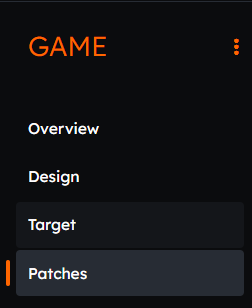
- Click on
Patches- if you haven't created a patch yet, you will see the option to add more:

- Click on
Add Patch- a window will open to allow you to upload the build:
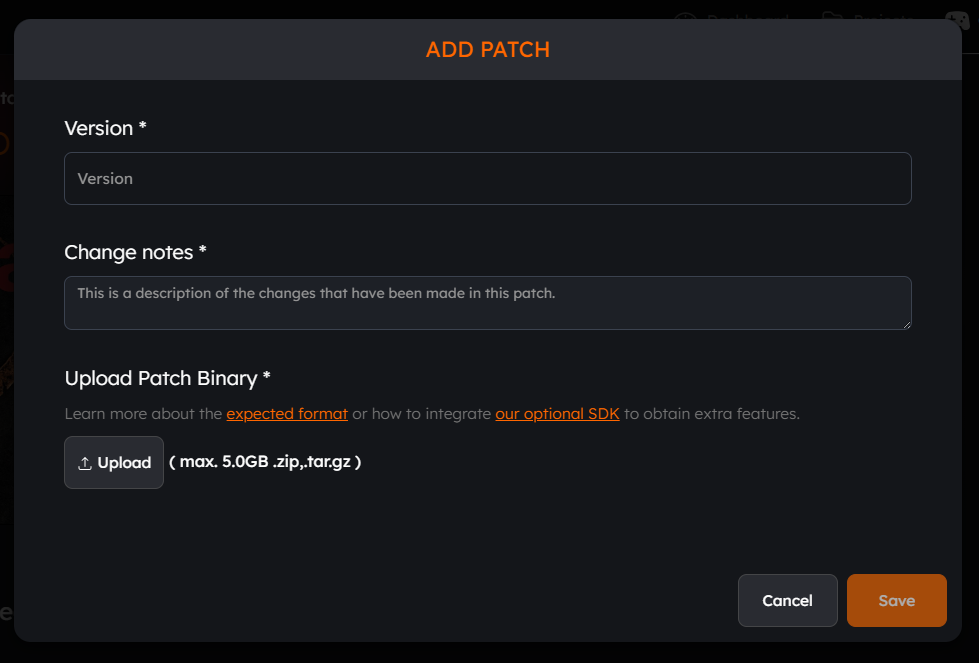
- Enter the details and upload your new build. You can remove and re-upload a build if needed:
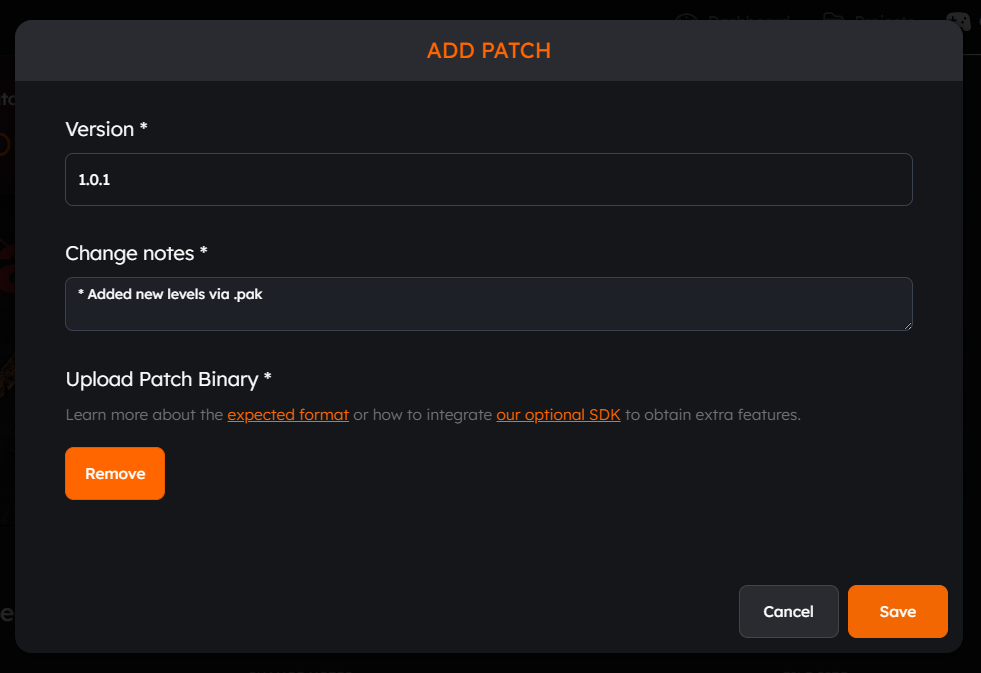
- Click on
Saveto confirm the patch:

- Antidote will generate a patch based on the existing the build and the new one. The final patch size should be smaller than the uploaded build.
